Intel Core i7-14700K on the ASUS Prime B760M-A D4
The Intel Core i7-14700K throttles hard under sustained load on the ASUS Prime B760M-A D4: the board's 6 Vcore stages carry about 223 W and the processor asks for 245 W in a sustained all-core load, which is 110 % of capacity and an estimated 110 °C at the VRM.
By Farrukh Sufyan Sarwar · Published 19 September 2026 · Last verified 4 November 2026 · Model v1.0 · Build 2026-11-04
- Estimated VRM temperature
- 110 °C
- 38 °C case air plus 72 °C of rise
- Stress ratio
- 1.10
- 245 W of 223 W capacity
- Capacity score
- 34/100
- 100 minus the stress ratio times 60
- Expected clock loss
- 15 %
- Sustained all-core clocks, not gaming frame rate
- Board capacity
- 223 W
- 6 × 50 A, teamed
- Processor draw
- 245 W
- 253 W at peak boost
What happens when you build this
The socket fits and the machine will boot, and that is the trap. 245 W through 223 W of Vcore capacity puts the ASUS Prime B760M-A D4 at 110 % load, an estimated 110 °C at the power stages, and around 15 % of the Intel Core i7-14700K's sustained clocks gone. Every review benchmark you used to pick this processor was run on a board that does not do this.
The ASUS Prime B760M-A D4 carries 6 Vcore power stages rated 50 A each, teamed in pairs off a shared controller channel, with a thin heatsink that helps at idle more than under load. That works out to about 223 W of sustained core power once the design and the cooling are accounted for, which is the number the Intel Core i7-14700K's 245 W is measured against.
If you already own the Intel Core i7-14700K, the fix is a board with more stages rather than better cooling — a VRM at 110 °C is limited by copper and silicon, not by airflow, and adding a case fan aimed at the socket buys a few degrees at best. If you already own the ASUS Prime B760M-A D4, drop to a processor in the 65 W class and the same board becomes completely adequate. The recommendations below are the boards that run the Intel Core i7-14700K at under 65 % of their capacity.
The measurement
The gauge shows the estimated VRM temperature under a sustained all-core load, with a thinner copper needle for the brief peak the processor reaches at full boost. The schematic beside it shows the same thing as current per power stage.
Estimated VRM temperature
Intel Core i7-14700K on ASUS Prime B760M-A D4: estimated 110 °C sustained, 111 °C at peak boost. Risk band: SEVERE.
- Sustained
- Sustained 110 °C
- Peak boost
- Peak boost 111 °C
Power delivery
What else to know about this pairing
Note: PCIe 5.0 from the CPU runs at 4.0 speeds here
The Intel Core i7-14700K provides PCIe 5.0 lanes but the ASUS Prime B760M-A D4 wires its slots for PCIe 4.0. Nothing stops working; a Gen 5 SSD simply runs at Gen 4 speed, which no game notices.
Warning: 6 Vcore phases for a 245 W processor
Each of the 6 stages on the ASUS Prime B760M-A D4 has to carry roughly 33 A when the Intel Core i7-14700K is loaded on all cores, which is where cheap stages get hot rather than where they fail.
Where the PCIe lanes go
The ASUS Prime B760M-A D4 keeps its 2 M.2 slots clear of the graphics lanes, so the primary slot stays at x16 whatever you install. That is one fewer configuration trap than boards that route a second M.2 slot from the processor.
The ASUS Prime B760M-A D4 takes DDR4, which the Intel Core i7-14700K supports, and validates memory up to DDR4-5333. Firmware is not an issue: the ASUS Prime B760M-A D4 ships with a BIOS that already knows Raptor Lake Refresh.
Boards that run the Intel Core i7-14700K without throttling
Each of these keeps the processor under a third of the board's sustained power capacity, and each has a listing we can verify.
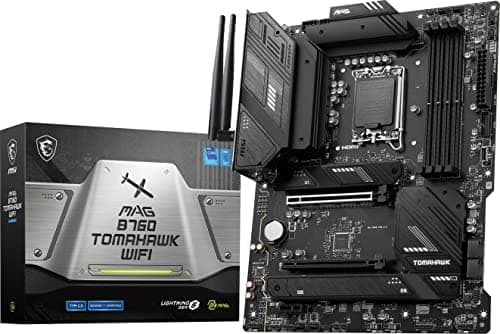 BudgetB760MSI
MSI MAG B760 Tomahawk WiFi
The cheapest board here that still leaves the Intel Core i7-14700K real headroom.
Capacity used26 % · 55 °CIntel Core i7-14700K draws 245 W of 956 W
- Socket
- LGA1700
- Vcore
- 12 × 75 A
- Memory
- DDR5
$142.65
as of 4 November 2026
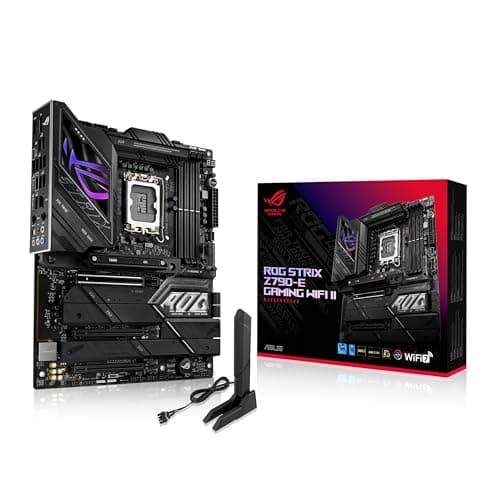 EnthusiastZ790ASUS
ASUS ROG Strix Z790-E Gaming WiFi II
The most headroom of any board in the database for the Intel Core i7-14700K.
Capacity used12 % · 46 °CIntel Core i7-14700K draws 245 W of 2104 W
- Socket
- LGA1700
- Vcore
- 18 × 110 A
- Memory
- DDR5
$499.99
as of 4 November 2026
The ASUS Prime B760M-A D4
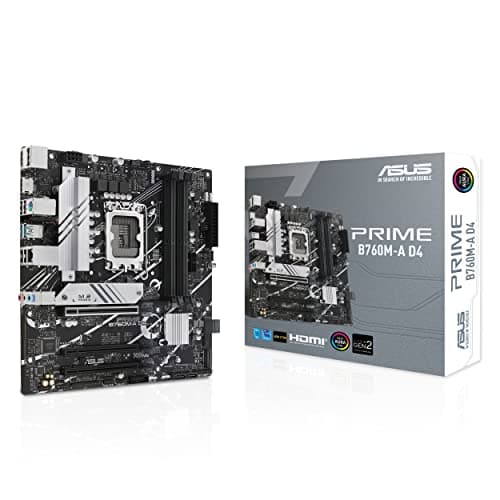
ASUS Prime B760M-A D4
- Socket
- LGA1700
- Vcore
- 6 × 50 A
- Memory
- DDR4
$149.99
as of 4 November 2026
- Chipset
- B760
- Form factor
- Micro-ATX
- Vcore stages
- 6 × 50 A
- Phase design
- Teamed phases
- VRM cooling
- Light heatsink
- VRM tier
- Tier C
- Memory
- DDR4-5333
- BIOS Flashback
- No
Questions people ask about this pairing
- Will the Intel Core i7-14700K throttle on the ASUS Prime B760M-A D4?
Yes, by about 15 % of sustained all-core clock speed. The Intel Core i7-14700K asks for 245 W and the ASUS Prime B760M-A D4 carries roughly 223 W, which puts its power stages at an estimated 110 °C.
- How many power phases does the ASUS Prime B760M-A D4 have?
6 Vcore power stages rated 50 A each, in a teamed design. Counting only the core rail matters here — vendor marketing often adds the SoC and auxiliary phases to reach a bigger number, and those carry none of the CPU's core load.
- Does the ASUS Prime B760M-A D4 need a BIOS update for the Intel Core i7-14700K?
No. The ASUS Prime B760M-A D4 ships with a BIOS that already supports Raptor Lake Refresh, so the Intel Core i7-14700K posts out of the box.
- What memory does the Intel Core i7-14700K take on the ASUS Prime B760M-A D4?
DDR4, in up to 4 slots, validated to DDR4-5333 on this board.
- What VRM temperature should I expect with the Intel Core i7-14700K on this board?
Our model estimates 110 °C, from 38 °C of interior case air plus the stress ratio of 1.10 scaled by 65 °C. Measured numbers move with case airflow and ambient temperature, so treat this as a band rather than a reading.